
The MK Day-Out Phone Plan
Screenshot tickets, save the parking location, write one phone number on paper and agree where to meet if signal drops.

Milton Keynes is in the national conversation again, from MK Gallery’s new colour photography show to Bletchley Park’s AI exhibition and Bedford’s Universal resort rising next door. The question for households is simple: can everyone keep up safely?

Milton Keynes keeps appearing where culture, travel and technology meet. MK Gallery opened its Jacques Henri Lartigue colour photography exhibition on 20 June, Bletchley Park’s Age of AI exhibition is running through 2026, and the Universal United Kingdom Resort near Bedford is already changing how people talk about the wider region.
That is exciting, but it also means more app tickets, QR codes, online bookings, digital maps, parking screens, scam adverts and AI-made content. A family day out can now fail because one phone has no battery, a fake ticket page looks convincing, or an older relative is left staring at a payment screen.
This edition makes the local week practical: how to plan MK days out, how to spot scam ticket and investment offers, how to keep children safer online, and how to help someone with tech without making them feel left behind.
Screenshot tickets, save the parking location, write one phone number on paper and agree where to meet if signal drops.

Keep accounts private, turn off location sharing and block messages from strangers before the summer scroll begins.

A glossy website is no proof. Search the company name with the word scam and check the FCA warning list for investments.

Do not tap the link. Use the delivery firm, retailer or official service app you already know.
Put the phone down, make tea if needed, then check through an official route.
Page 2: scam scripts, AI voices and reporting.
Page 3: money, broadband and landlines.
Page 4: MK community tech and day-out planning.
Page 5: family settings, AI and Kev help.

Put your bank, GP, council and one trusted family number on paper near the home phone.

Install phone and browser updates while you are on Wi-Fi and the battery is charged.

Tell someone about 7726 and report@phishing.gov.uk. One shared habit can stop a loss.
Use the official gallery site, not a social link. Screenshot tickets and opening times.
Ask children how they would check whether an image, voice note or headline is real.
Do not pay fees for applications, interviews, security checks or promised priority training.
Busy summer events and national attention around the region create perfect cover for copied Facebook posts, QR payment traps and ticket links that look local but are not.

The most believable scam is the one that looks like something you were already planning to do. A fake parking text after a city-centre visit, a fake ticket link for a sold-out event, or a copied community post about lost property can feel local enough to trust.
Do not pay through links in random messages or comments. Search for the venue, organiser, council or parking provider yourself. If a seller says the price will vanish in minutes, slow down. Real venues can explain their ticket policy without rushing you into a bank transfer.
If money has moved, contact your bank immediately. Then report fraud in England, Wales or Northern Ireland through Report Fraud or by calling 0300 123 2040.
A small amount such as £1.99 is bait for card details. Go directly to the courier or shop account instead of following a message link.
If a seller pushes bank transfer, courier collection, a deposit or a story about being away, slow down and use protected payment.
Refund scams often start by making you think you have received too much money. Do not share your screen or install any app.
If a caller waits for you to confirm your name before explaining themselves, treat that as a warning sign and end the call.
Do not let unexpected callers inspect routers, alarms or laptops. Ask for company details and check later through an official number.
Choose one trusted person to call before moving money, installing apps or sharing codes. Write their number somewhere visible.

One-time passcodes prove it is you. They are not for callers to read back or check.

Forward scam texts to 7726, then block the sender so the thread cannot pull you back in.

Save messages, numbers and payment details before deleting anything.
If a ticket is in comments or DMs, search the venue site and compare the policy.
Open the official parking app or council page yourself before paying any charge.
For local sales, use protected payment and walk away from courier stories.
A major regional project near Bedford is good news for the local economy, but big headlines also attract fake recruiters, training fees and too-good-to-be-true investment pitches.

When a huge project lands near home, criminals quickly borrow the name. Expect fake job adverts, bogus supplier forms, paid “priority training” and investment posts claiming ordinary people can get in early.
Use official company and government channels. Do not pay to apply for a job. Do not send passport, bank or National Insurance details through a social media message. For investments, check the Financial Conduct Authority register and warning list before sending a penny.
Turn on spending alerts, review payees, freeze unused cards, remove old devices and check payment limits before anything goes wrong.
Write down times, phone numbers, websites, account names and reference numbers when reporting fraud.
Slow internet may be the package, the router, the Wi-Fi position or a tired device. Test near the router, check full-fibre availability, ask about social tariffs and move the router before buying boosters.
Your email resets everything else. Give it a unique password and two-step verification before worrying about minor accounts.
Open iCloud or Google Photos and check the newest image is backed up before a holiday, festival or phone upgrade.
Keep confirmation pages, delivery windows and seller details when buying from unfamiliar sites or marketplaces.
Put broadband and mobile contract end dates in your calendar one month early so price rises do not arrive as a surprise.
A separate card stored safely at home can help if a main card is frozen, lost or waiting to be replaced.
Save a clear picture of the router label in a private album for printers, smart TVs and visitors who need Wi-Fi.

Check annual price-rise wording before agreeing to a new broadband or mobile term.

Use clear payee names so unknown transfers are easier to spot in a monthly review.

If a household uses a pendant alarm or care device, make sure the phone company has it recorded.
Real employers do not ask for payment to unlock interviews or checks.
Ask providers directly if someone in the home receives qualifying benefits.
For online orders, save confirmation pages before closing the tab.
The local diary is full, and the wider region is getting national attention. Make the most of it without letting apps, payments or signal problems spoil the day.

MK Gallery’s Lartigue exhibition gives the city a strong cultural headline this week. Bletchley Park’s AI exhibition keeps the area’s codebreaking story connected to today’s biggest technology debate. Just over the border, Universal’s Bedford resort plans are turning the Marston Vale corridor into a long-term transport and jobs story.
For families, the practical job is smaller: book through official sites, screenshot tickets, check parking rules, carry a power bank, and agree one meeting point. If helping someone less confident, do the booking with them rather than for them.
Invite a parent or neighbour for tea and check updates, backups, emergency contacts, font size and scam-blocking settings together.
Ask before posting photos of other people’s children. Private albums are safer than public social feeds.
Save a map screenshot, write the car park name and keep a payment card separate from the phone case.
Before leaving the car, take a picture of the nearest sign, level or row marker. It saves tired searching later.
For step-free access, seating, hearing loops, quiet times or accessible toilets, one phone call can prevent a wasted journey.
Ticket scams and fake lost-property posts can copy real local pages. Check the organiser website before paying or sharing.

Use temporary location sharing with trusted family during busy events, then turn it off afterwards.

Save tickets and QR codes before leaving home in case mobile signal is weak at the gate.

A paper phone number and meeting point in a pocket works when batteries run out.
Save the indoor backup plan before promising an outdoor family afternoon.
For anxious visitors, check opening times and quieter periods before booking.
Pair a visit with a family chat about codes, privacy, AI and trust.
Ofcom’s age-check rules are part of the national picture. Locally, Bletchley Park’s AI exhibition gives families a useful way to talk about fake images, cloned voices and what to share.
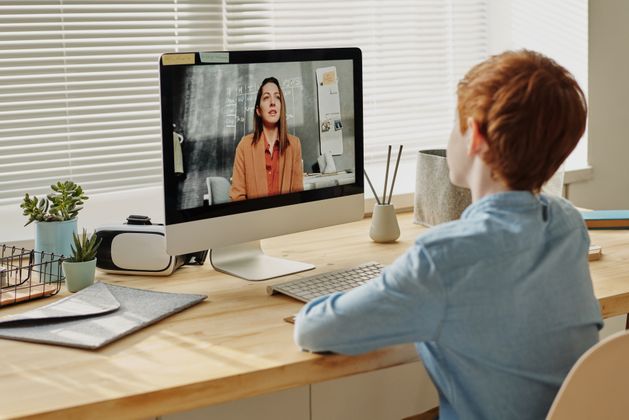
Age checks are a serious shift away from the old tick-box internet. They can reduce access to some adult and harmful content, but they do not replace parenting, school support or app-by-app settings.
Start with the things that make a real difference this week: private profiles, no location sharing, no messages from strangers, app time limits, device-free bedrooms and an agreement that a child can ask for help without immediate punishment. A local visit or conversation about AI can make the rules feel less like nagging and more like common sense.
“Show me the apps you enjoy, then we’ll make the risky bits safer together.”
AI image tools can create humiliating fake pictures quickly. The family rule should be clear: do not make them, do not forward them, do not laugh along, and tell a trusted adult fast.
Add emergency medical information and a contact number. It can be seen without unlocking the phone.
Streaming trials become quiet monthly payments. Check app store subscriptions and bank statements.
Remove names, addresses, account numbers and medical details before asking AI to rewrite anything.
Large text and bold text settings make phones calmer to use. It is practical design, not failure.
Do not tidy photos during a family event. Back up first, then sort duplicates when home and relaxed.
When using AI, add: “explain it for a beginner and include the risks.” The answer usually improves.

Start with email, banking and social accounts. Those three unlock most of your online life.

MK Gallery listings, Bletchley Park visitor information and official updates can change.

This issue used NCSC, Ofcom, GOV.UK and UK Finance reporting.
Correct child account ages make parental settings work better across devices.
Add a purchase PIN before children rent films or subscribe to channels by mistake.
Write problems down before a visit so the most annoying settings get fixed first.